How to Get Verified Self-Storage Occupancy Data for a Fraction of the Cost
Real occupancy and NOI numbers on a storage facility are hard to get without paying for them. CMBS filings are the way around that: the operating data is public, and Storage Stats matches it to the facility for a fraction of what a market-data subscription costs.
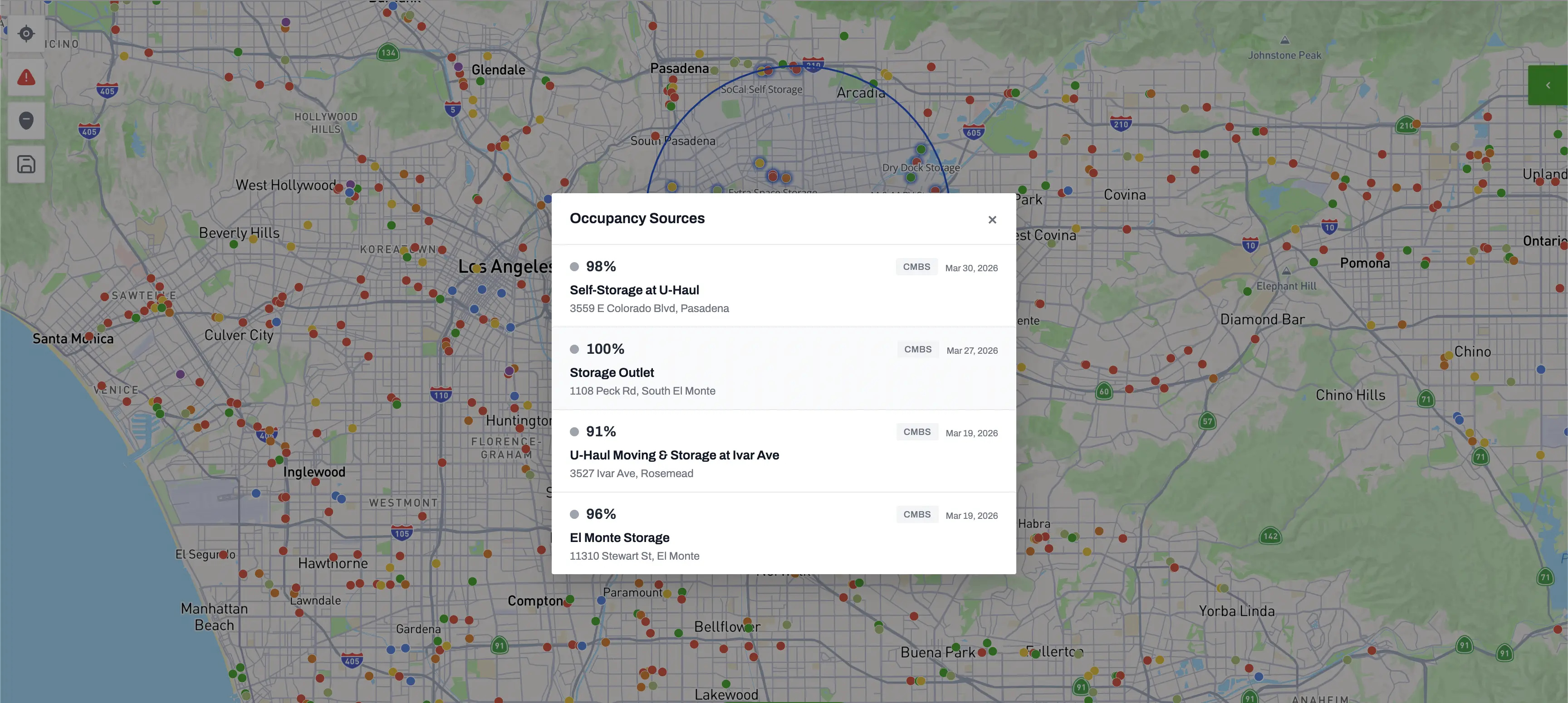
Real occupancy and NOI numbers on a storage facility are hard to get without getting individual owners to share them. CMBS filings are the way around that: the operating data is public, Storage Stats aggregates this data and makes it available as part of our standard monthly ($249.99/month) and yearly subscriptions ($199.99/month billed annually); that's less than what other market-data subscriptions charge.
When a facility is financed through a commercial mortgage-backed security, the borrower has to file operating statements with the loan servicer, and those filings go into the public record. Storage Stats reads them and matches each one to the facility it covers, so the numbers land right on the facility profile.
What does facility-level occupancy data normally cost?
It helps to know what you'd pay for the same thing through any other channel. A subscription that reports occupancy and NOI building-by-building runs into the thousands a year. Commissioning a market study for a single trade area isn't much cheaper. A broker's T-12 is free in theory, but it only turns up when they decide to send it, and usually once the deal is already moving.
What's in a CMBS filing
- Occupancy. Physical occupancy for the latest reporting period, plus the periods before it, so you can watch how the building fills through the year and over the life of the loan.
- Revenue and NOI. Trailing-twelve, annualized, or full-year, depending on what the servicer filed.
- Operating expenses. Total opex, and often a breakdown detailed enough to check the margins against your own pro forma.
- Loan terms. Current and original balance, maturity, rate, and the DSCR the servicer reported.
- Servicer notes. Whether the loan is on the watchlist, whether it's gone to special servicing, and whatever the servicer or trustee wrote up.
Reading the data
A few things to watch before you drop these numbers into a model:
- Check the date. Some servicers file quarterly, others once a year. Know which period you're looking at before you treat it as current.
- Watch for pooled loans. Plenty of CMBS loans cover more than one facility. When the servicer only reports at the pool level, we break out facilities where possible and flag which buildings the numbers actually cover.
- A watchlist flag isn't a death sentence. It means the servicer is watching the loan more closely, which can point to a motivated seller as easily as a struggling asset.
Use verified current CMBS market data in your underwriting, the occupancy, the NOI, and roughly what it costs to run. Most buyers are still guessing at all three.
Where to find CMBS data in Storage Stats
With the market tab open, on the far right you'll see the number of storage facilities with CMBS loans in the market. Click on this stat to open the CMBS quick view card. From there, you can click on individual facilities to see their latest CMBS filing info. The same numbers carry into the PDF and Excel exports for the trade area, so you can hand them to a partner or drop them into a deck without any manual effort.
Get nationwide self-storage data
Try Storage Stats free, no credit card required. Rent rates, supply, demographics, ownership, and more, all in one platform.
Market data by city: Dallas–Fort Worth · Houston · New York · Atlanta · Chicago · Los Angeles · Phoenix · Miami · all 50 markets
More from the blog
RK Kliebenstein Joins Storage Stats as Brand Ambassador
Self-storage industry veteran RK Kliebenstein joins Storage Stats as Brand Ambassador, representing the company at industry events and supporting product development.
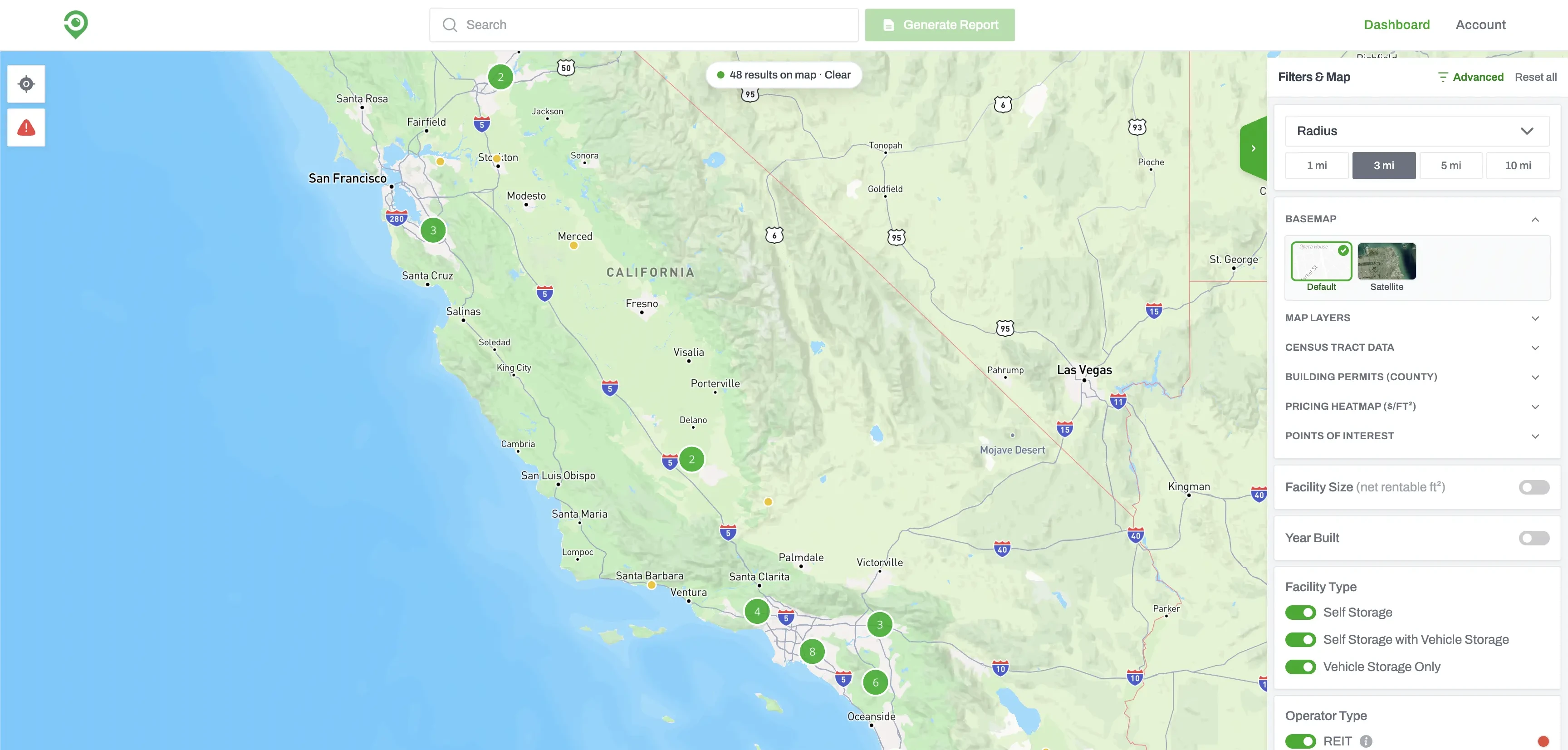
Build a Self-Storage Prospecting List with Advanced Filters
Advanced Filters lets you screen every self-storage facility in the country. Set your conditions, run the search, and you get back the facilities that match, ready to sort, map, or work through one at a time.
How Our PDF and Excel Exports Power Owner Outreach
Storage Stats exports two reports for every market, a Market Report and a Facility & Owner List, each as a PDF and an Excel. A rundown of what's in the four files and how they carry you from market research to owner calls.